Working alongside the new Image Inventory upgrade is the new References panel! References is a powerful way to understand how all the building blocks on your website connect.
Image Inventory answers the question What do we have? References answers How are all those pieces connected?
What Does References Do?
References provides a list of inventoried links and assets, such as webpages, PDFs, images, and scripts, that are linked from the page you are viewing in the Page Details Panel, as well as a list of inventoried links and assets that are linked to the page you are viewing.
Why References Matter
When links to and from pages, images, scripts, and CSS are clearly listed, you know what’s in use, where it’s used, and what depends on what. Understanding those connections shows you the domino effect of any changes or updates you may be considering. That means fewer surprises and fewer rollbacks.
See dependency chains before you edit.
Before you change or remove a file, you can see what else might break if that content goes away.
Investigate the impact quickly during audits.
References help you answer questions like: What links to this page? What scripts load here? Which pages use this image?
Where You’ll Find References in DubBot
References are integrated throughout the app so they’re easy to access wherever you’re working:
Detail Page View
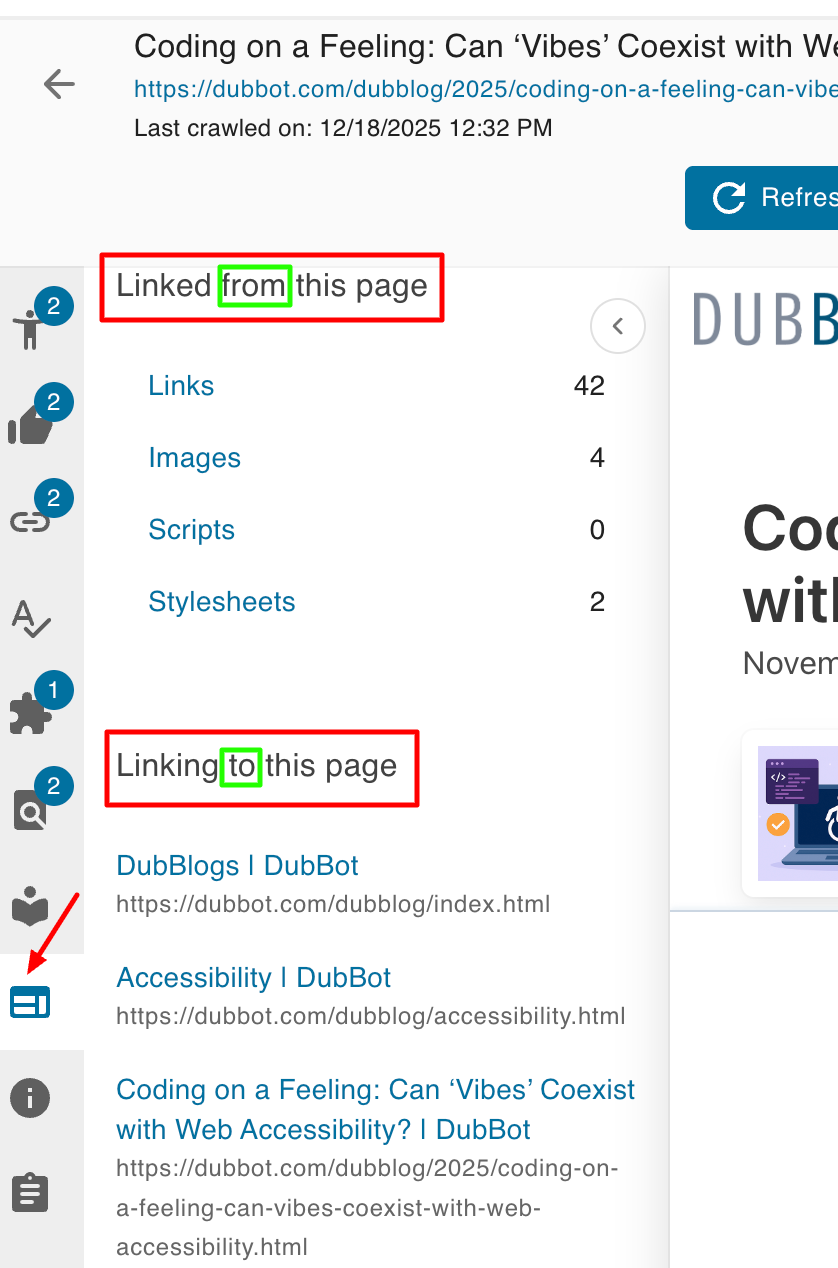
When you’re looking at a specific page in DubBot, click the References tab to see items linked from this page with categories like links, images, scripts, stylesheets, and also items linking to this page. That provides insight into inbound context and dependencies.
PDF and Image Details
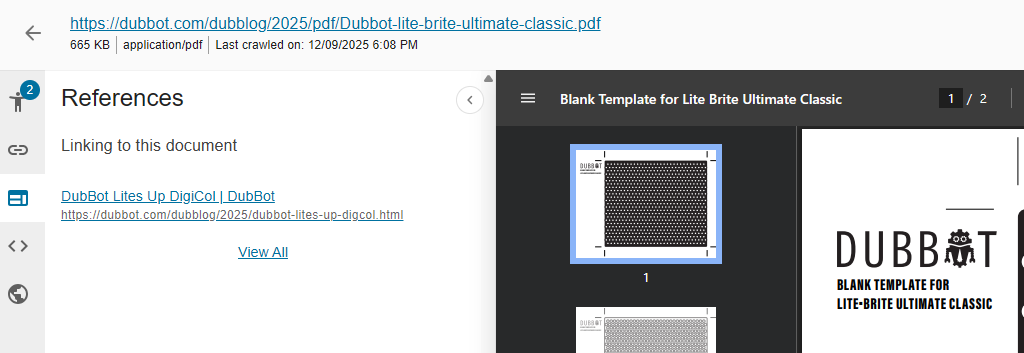
The References tab is also available for the PDF Detail Panel and Image Detailed Page View.
On the PDF Detail Panel, you can see both its outward links and all the places it’s referenced.
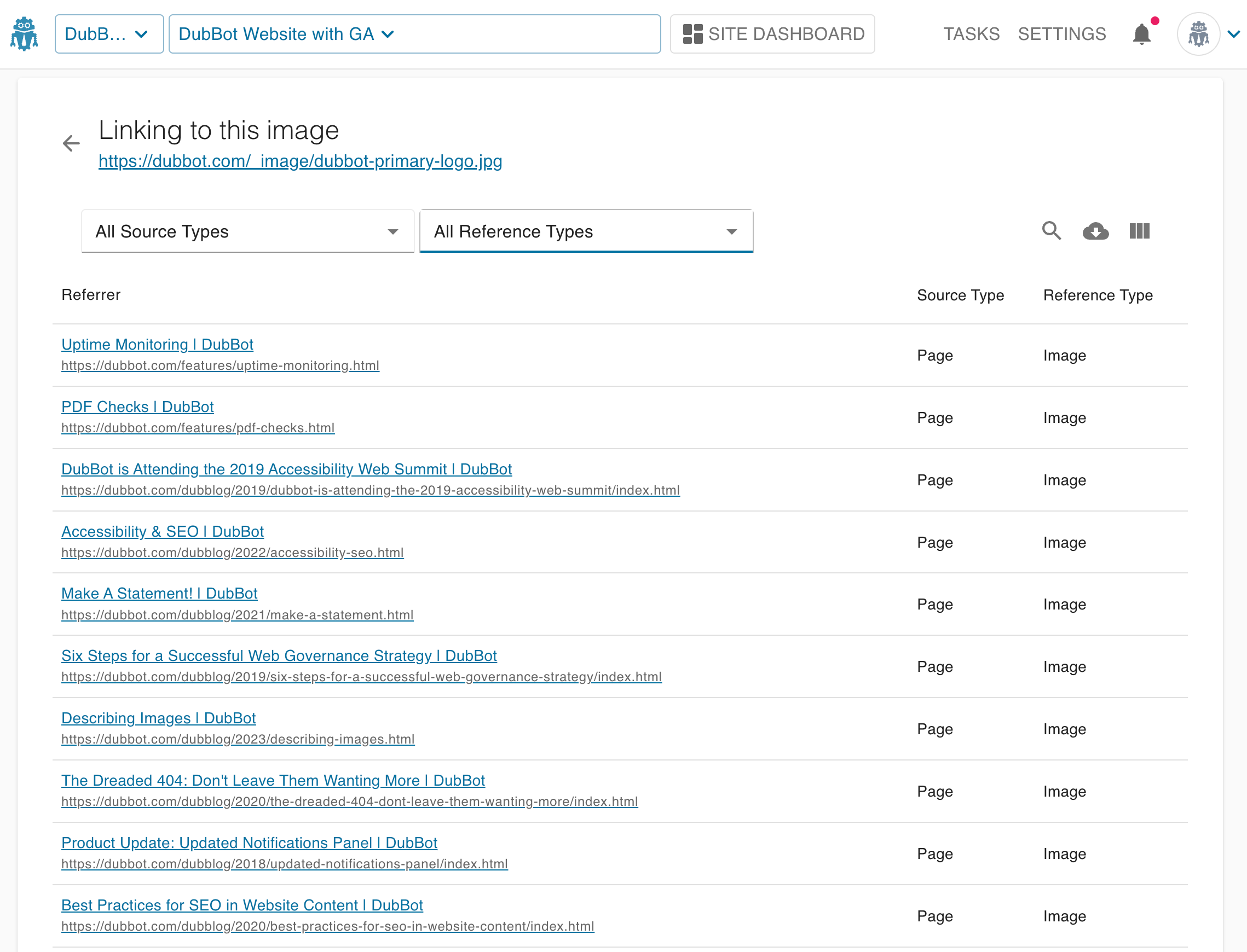
On the Image Detail View, References shows you every page on which the image is used.
How This Improves Your Workflow
References reveal how your site really fits together and how your organization can use that insight for real impact:
- You can visualize dependencies before running updates.
- Developers can identify risks and potential failures early, before refactoring or deployment goes live.
- Accessibility experts can identify content relationships critical to comprehensive audits.
- SEO and web governance owners can gain deeper insight into how assets influence one another and the overall user journey.
Image Inventory + References: A Winning Combination
Together, they empower you to:
- See the full impact of changes before implementing them.
- Build cleaner, more efficient, and more accessible sites.
- Prioritize the most frequently used images when updating ALT text or minimizing file sizes.
Resources
- References
- Image Inventory and References are here!
- Meet Image Inventory: The Client-Inspired Upgrade for Image Management
A human author creates the DubBlog posts. The AI tools Gemini and ChatGPT are sometimes used to brainstorm topic ideas, generate blog post outlines, and rephrase portions of content. Our marketing team carefully reviews all final drafts for accuracy and authenticity. The opinions and perspectives expressed remain the sole responsibility of the human author.
