That’s right! DubBot now inventories all your images with every Site crawl. And the best part? You don’t have to request access to Image Inventory. It’s turned on by default and ready to make you a rock star. 🤩
What is an image inventory?
At its core, an image inventory is just a way to keep track of the images across your website—what they are, where they live, and how they’re used.
DubBot’s Image Inventory takes that simple idea and turns it into a power tool, adding file size, format details, and live links to every image in one place. Suddenly, asset management is faster and cleaner, with smarter decisions for SEO, branding, and performance, backed by real data.
How Do You Access the Image Inventory in DubBot?
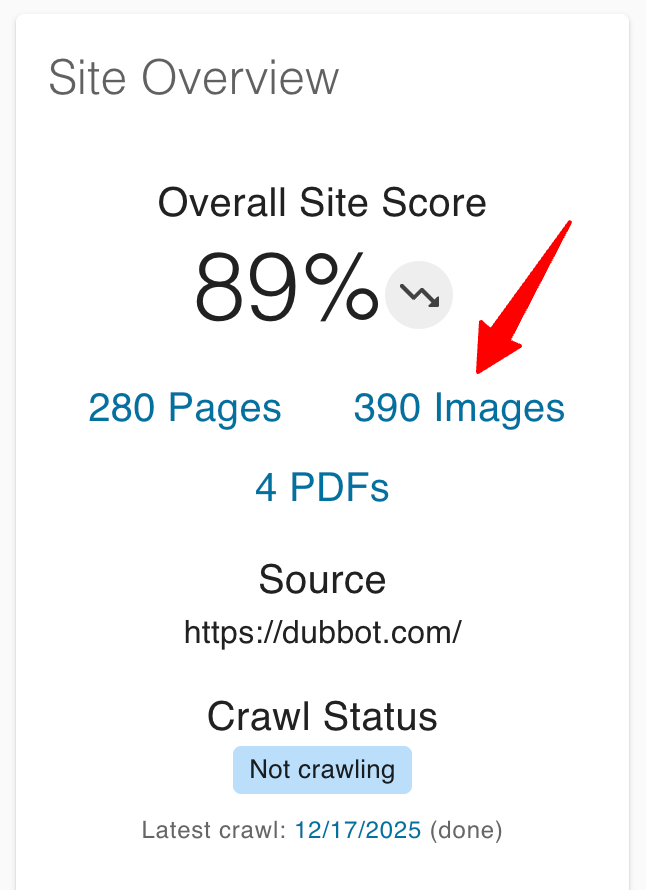
The Dashboard Overview Panel on your dashboard displays a link to the inventory of those images. Selecting that link opens the Image Inventory Panel.
What Will You Find on the Image Inventory Panel?
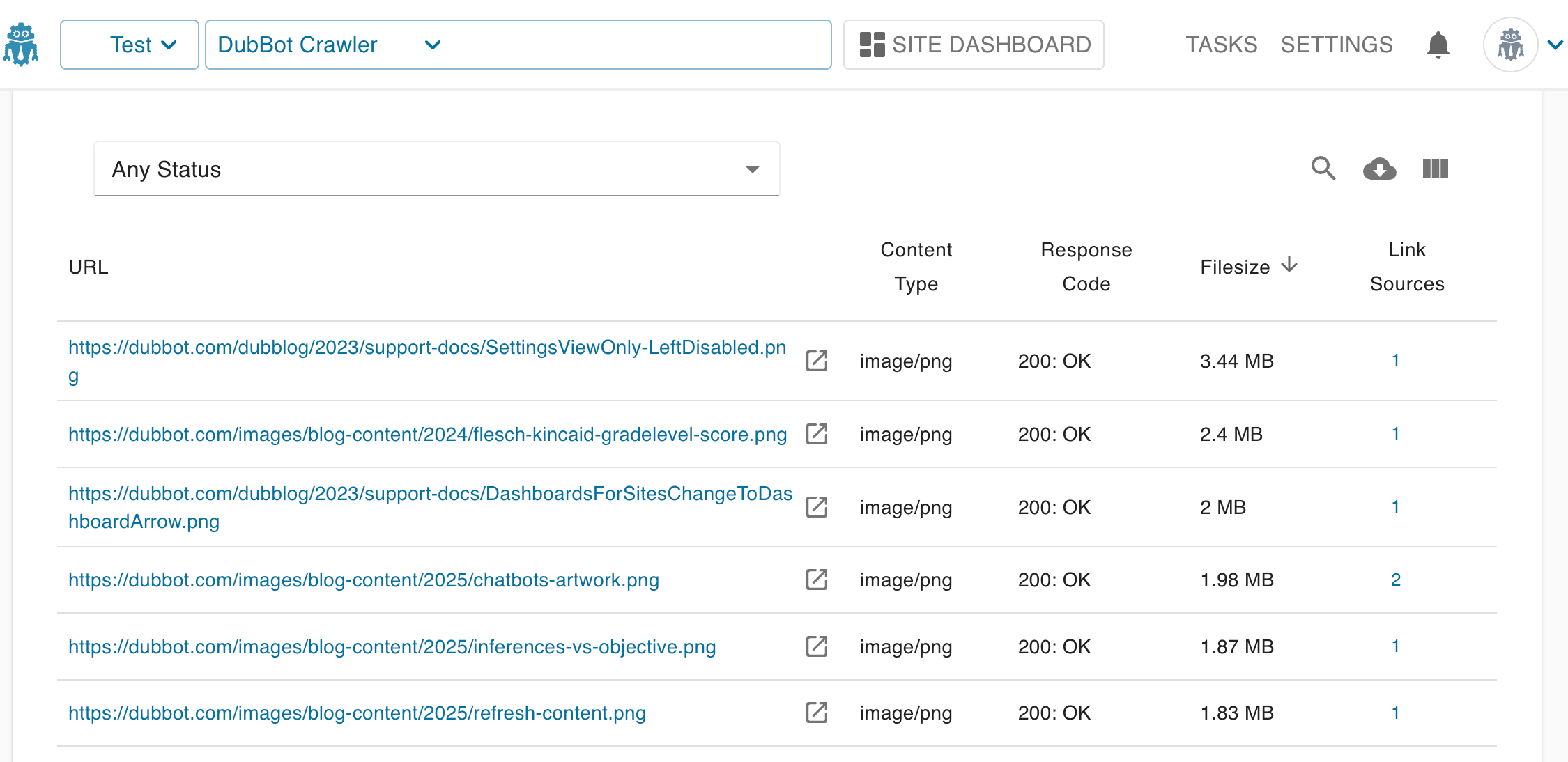
The Inventory Panel is where the real magic happens. Here, you not only get a list of all the images on your website, but also stats for each image: the image URL, content type, response code, file size, and link sources, which are the pages where the image can be found. All in one easy-to-read and navigable table. And, like other Panels in DubBot, you can download a CSV of the information shown.
The Key Benefits of an Image Inventory
Using DubBot’s Image Inventory enables you to implement effective image management practices that are crucial for:
- Operational Efficiency: Organizing and centralizing images enables teams to easily access all assets, reducing time spent searching for files.
- Brand Consistency: Ensures teams use the most up-to-date, approved images to prevent branding inconsistencies.
- Cost Reduction : By reusing existing assets, organizations can reduce duplicate image creation, saving both time and resources.
DubBot’s Image Inventory also provides benefits such as:
- Faster Page Loads & Better Performance : Quick access to image details like file size and format streamlines optimization, helping ensure faster page loads that support user retention, mobile performance, and search rankings.
- Support smarter workflows: Designers, developers, and content managers can now work from a single trusted source. No more time wasted on Where is that image we used for X? emails and Slack messages.
DubBot’s Image Inventory replaces visual asset sprawl with a structured, measurable system, making website management more efficient and helping teams save time and money without the guesswork.
Complementing the Image Inventory feature is the new References tab found on the Page Details Panel. This new tab provides a list of inventoried links and assets, such as webpages, PDFs, and images, that are linked from the page you are viewing in the Page Details Panel and a list of inventoried links and assets that are linked to the page you are viewing.
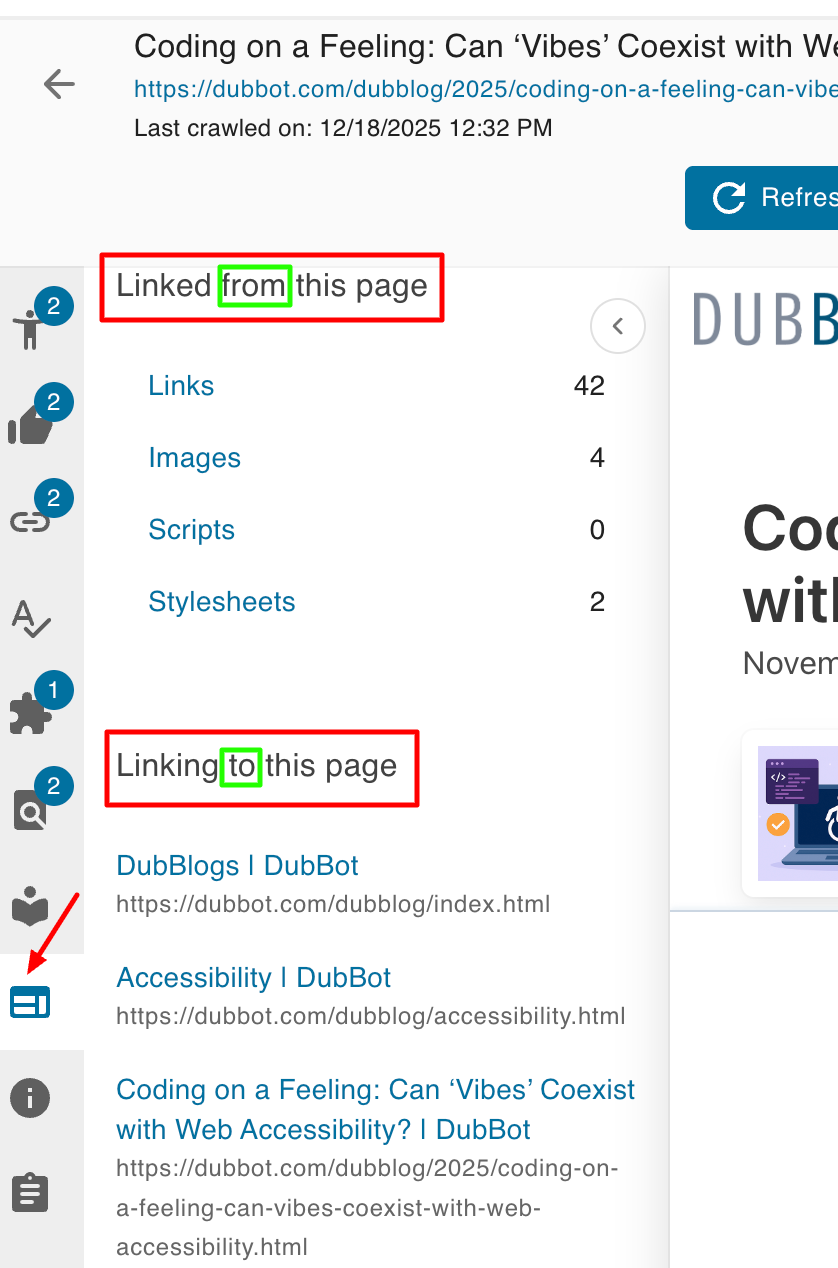
Now you have data that says this image is embedded on these pages, loaded by this script, or styled by this CSS.
The Image Inventory answers the question What do we have? and the Reference tab provides insight into How what we have is all connected.
Why is this important?
When pages, images, scripts, and CSS are clearly mapped, you know what’s in use, where it’s used, and what depends on what. Understanding connections shows you the domino effect before you make those changes. That means fewer surprises, fewer rollbacks.
DubBot’s Image Inventory and References tab helps you get your asset library under control, so you can spot what’s outdated, redundant, or orphaned and clear the clutter without accidentally deleting something critical to success.
Knowing what assets you have and how they interrelate provides the foundation for effective website governance, ongoing optimization, and confident change management.
For more information on References, please see Meet References: See How Your Website Content is Connected.
