While scrolling through LinkedIn the other day, I came across a post from a former intern from my higher-education days. He was sharing a website redesign project he had worked on, and I was excited to see what he’d created. Naturally, I checked out the website and, of course, ran the WAVE extension to see if he remembered what I’d taught him about accessibility.😉
To my delight, he had incorporated accessibility best practices throughout the new site. (Caveat: As much as he could, given the web design tool he was working with.)
But something caught my eye. Not anything he had neglected, but an error description. WAVE had flagged several images, giving this reason: An image has very long alternative text.
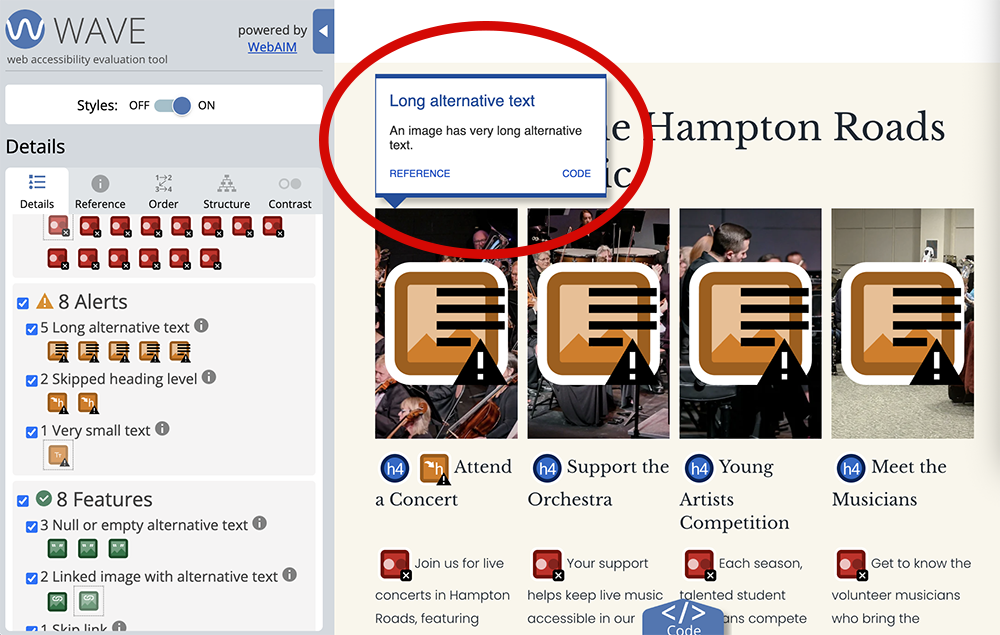
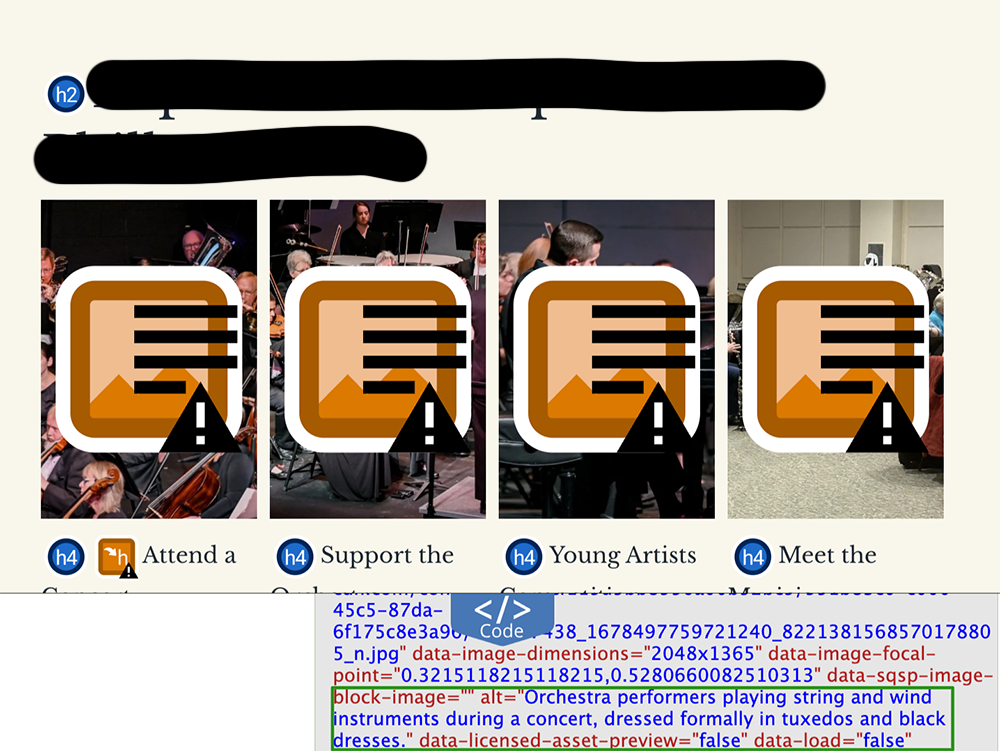
I quickly inspected one of the images and found the ALT text: Orchestra performers playing string and wind instruments during a concert, dressed formally in tuxedos and black dresses.
Turns out that's a surprisingly common flag and a useful one, because long ALT text isn't really about length. It's about intent. And that flag points to something screen reader users have to deal with directly.
How Long is Too Long?
There is no official character limit for ALT text, at least not one I can find. Even WCAG doesn’t set a hard number.
Still, it's worth taking seriously, because long ALT text usually signals one of two things: either the ALT text is repeating content already visible on the webpage, or it's trying to do a job the ALT attribute was never meant to do.
Most guidance converges on a similar range: roughly one sentence, often cited as 100 - 150 characters.
WebAIM's own guide to alternative text is clear: ALT text should be equivalent and succinct, and it shouldn't duplicate what's already presented in nearby text or captions.
The W3C's Web Accessibility Initiative says much the same: ALT text should be the most concise description possible, and once you need more than a short phrase or sentence, a long-description technique is the better tool than trying to include everything in the ALT text.
Why Does Too Much ALT Text Matter?
Length matters because of how assistive technology delivers that text. Remember, ALT text has no internal structure, no formatting, no headings, no way to jump by sentence or word the way a screen reader moves through webpage content. Some screen readers cope with very long ALT text by breaking it into chunks and announcing each one separately, so a single image can sound like several unrelated items.
In addition, symbols and line breaks can be skipped or garbled, and an embedded URL is often read aloud letter by letter instead of treated as a link.
A sighted visitor can scan a busy image pretty quickly. A screen reader user has to hear the whole thing, in order, every time. There is no equivalent shortcut.
That's the real cost of long ALT text, not a failed check. Again, it’s about intent. It shapes the listening experience for the very person ALT text is meant to serve.
I don’t see these flagged images as a gotcha moment for my former intern. If anything, they were the perfect full-circle teaching moment. Because even a website built with accessibility in mind from day one can have a few gray areas. Showing us, once again, the critical roles of context awareness and human oversight in accessibility testing.
Resources
- Long ALT
- WebAIM: ALTernative Text
- W3C WAI: Images Tutorial — Tips
- WAVE Alert Rule Set — UMN Duluth ITSS
A human author creates the DubBlog posts. The AI tools Gemini and ChatGPT are sometimes used to brainstorm subject ideas, generate blog post outlines, and rephrase specific sections of content. Our marketing team carefully reviews all final drafts for accuracy and authenticity. The opinions and perspectives expressed remain the sole responsibility of the human author.
