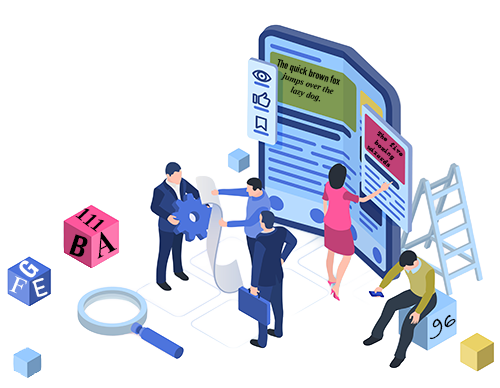
Your website serves people with a wide range of reading needs and abilities. Some visitors have dyslexia. Others have low vision and rely on magnification or screen readers. Many are reading in a language that isn't their first. And still others may simply be tired, distracted, or trying to complete a task quickly, all while standing in bright sunlight.
Every user processes information differently; therefore, a one-size-fits-all approach to font selection, size, color, and placement is unlikely to serve everyone well. Providing customizable text is how we stop asking users to adapt to our design and start letting our design adapt to them.
What is Customizable Text?
Customizable text means visitors can adjust
the size, spacing, font, color, and other text properties. When users change these properties, no information or functionality should be lost, and the text should re-flow so users don’t have to scroll horizontally to read sentences. ~ Customizable Text
Instead of expecting everyone to read the same tiny 12px paragraph, put the users in control of tailoring their reading experience to their own needs and preferences. That's universal design. Designing for diversity from the start, rather than retrofitting accommodations later.
The Web Content Accessibility Guidelines (WCAG) are clear:
- SC 1.4.4 Resize Text (Level AA) says text needs to scale up to 200% without breaking the layout or hiding content.
- SC 1.4.12 Text Spacing (Level AA) says your layout must remain readable and operable when users increase the line height, paragraph spacing, and word spacing without text getting clipped, overlapping, or vanishing off the edge of a container.
Who Benefits from Customizable Text?
Almost everyone! People who rely on zooming in and larger fonts every day. People with dyslexia read more easily with adjusted spacing or specific fonts. Older adults or people with temporary eye strain all benefit from text that adapts to their needs.
Some Best Practices for Customizable Text
- Use relative units like rem and % instead of fixed pixels for text and containers.
- Skip text-in-images wherever you can. If you truly can't avoid it, back it up with real, selectable HTML text or ALT text.
- Test your site at 200% zoom and with increased letter and line spacing to ensure your layout stays operable and nothing gets clipped, overlaps, or disappears.
- Use typefaces with clean, distinguishable letterforms, and do not justify text, as that creates uneven spacing. Choose accessible fonts.
- Pick typefaces with clean, distinguishable letterforms, and steer clear of justified text, which creates awkward, uneven gaps.
Why is Customizable Text Important?
Supports user preferences
Some people read fastest with a sans-serif font. Others prefer increased line spacing or larger text to ease eye strain. Giving users control lets them create a reading experience that works best for them.
Reduces cognitive effort
Flexible layouts, text spacing, and readable fonts help diminish cognitive effort, allowing all users to focus on the content itself.
Improves accessibility without changing your content
Customizable text doesn't require rewriting your content. The same page becomes more accessible simply by allowing users to adjust its presentation.
Customizable text is about giving users a better reading experience. When people can adjust text to fit their needs, your content becomes easier to read, understand, and engage with. That builds trust, encourages people to return, and strengthens how they perceive your brand. When your content is accessible to more people, everyone wins!
Resources
A human author creates the DubBlog posts. The AI tools Gemini and ChatGPT are sometimes used to brainstorm subject ideas, generate blog post outlines, and rephrase certain portions of the content. Our marketing team carefully reviews all final drafts for accuracy and authenticity. The opinions and perspectives expressed remain the sole responsibility of the human author.
